Conversations
A dedicated admin screen (outside the settings tabs), linked from the sidebar. Native WordPress table with every recorded conversation.
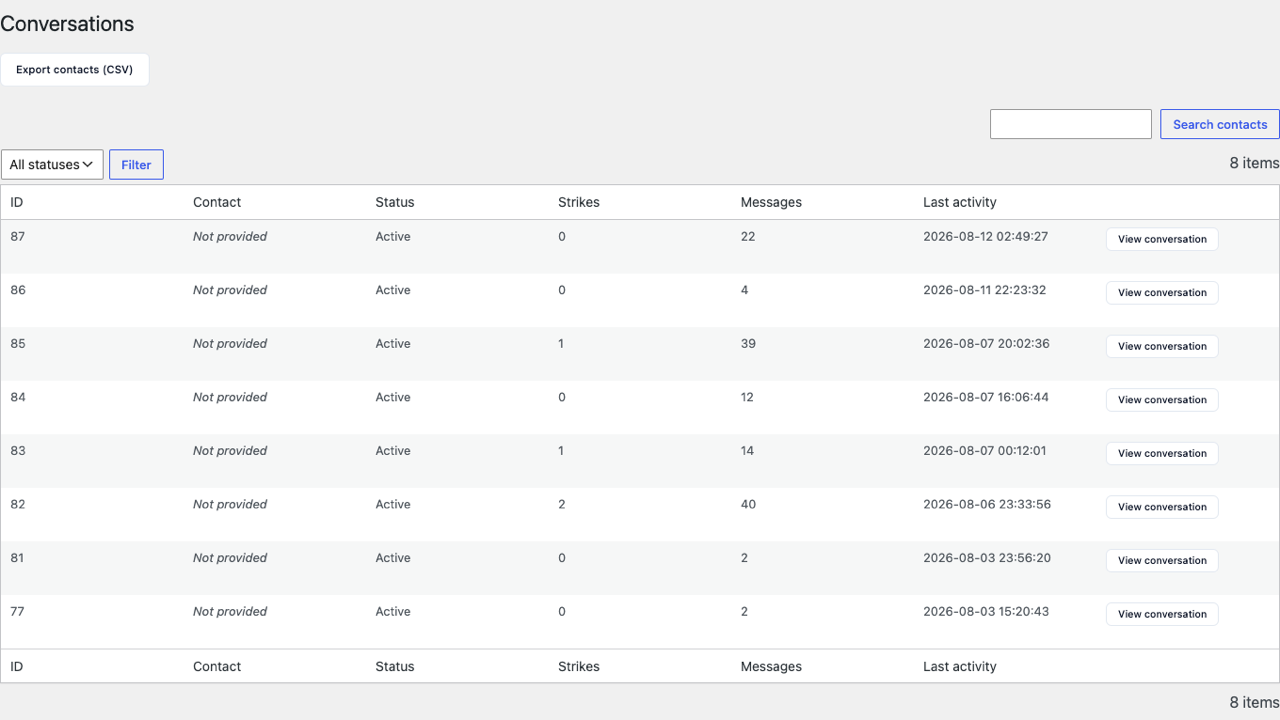
Search and filter
- Search by contact name, email, or phone.
- Status filter: all / active / blocked.
Columns
ID, Contact (name/email/phone if provided), Status, Strikes, Messages (message count), Last activity.
Per-row actions
- View conversation — opens a read-only screen with the full message transcript (see below) — previously only the message count was visible from this table.
- Unblock — reactivates a specific blocked conversation (a precise alternative to "Unblock all conversations" in Moderation, which reactivates all of them at once).
- Delete — permanently deletes the conversation and its messages. Asks for confirmation before running.
Conversation detail
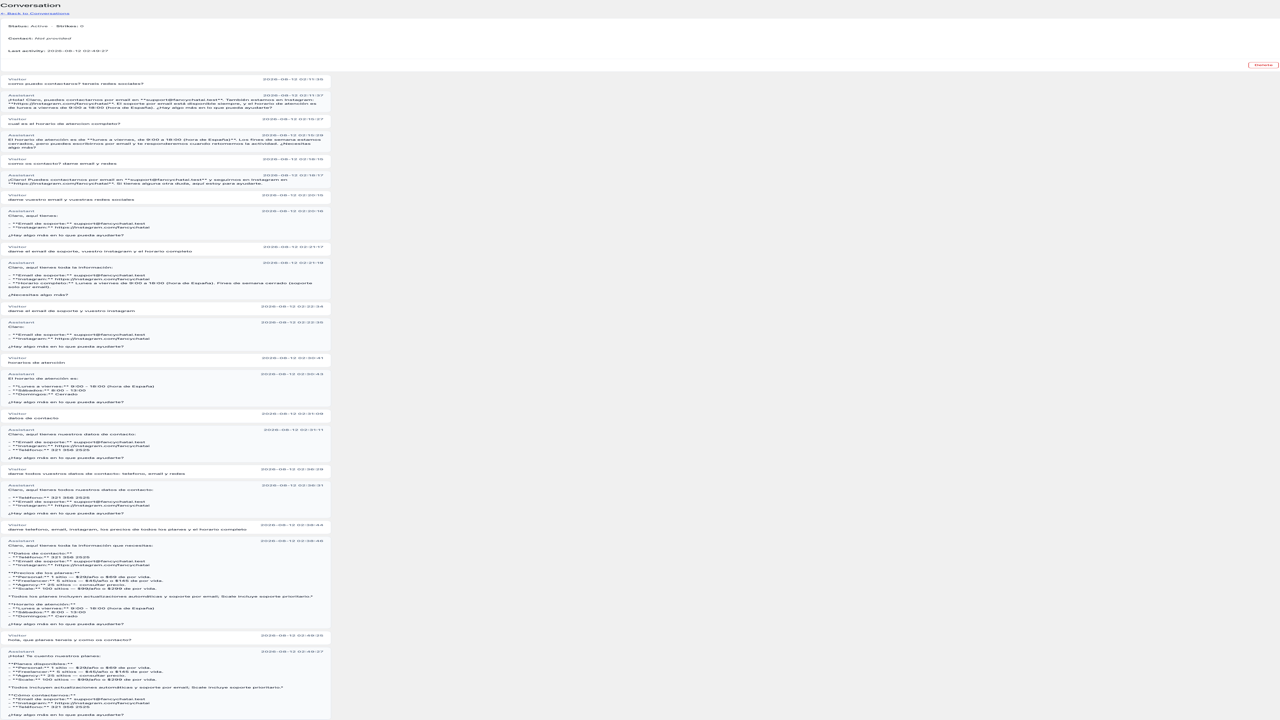
Opened via View conversation on any row. Shows the conversation's status, strikes, contact info, and last activity, followed by the full back-and-forth between the visitor and the assistant — each message labeled Visitor or Assistant with its own timestamp. Useful for reviewing what a visitor actually asked, not just how many messages they sent. Unblock and Delete are also available from this screen.
Export contacts (CSV)
One click downloads a CSV with every conversation that has at least one piece of contact data: ID, name, email, phone, consent date (if given), date. Useful both for sales follow-up and for privacy audits.