Privacy & Data
Controls what personal data the widget asks for and how long conversations are kept. For the legal background (GDPR, legal basis, the session cookie) see GDPR in depth — this page only documents what each setting does.
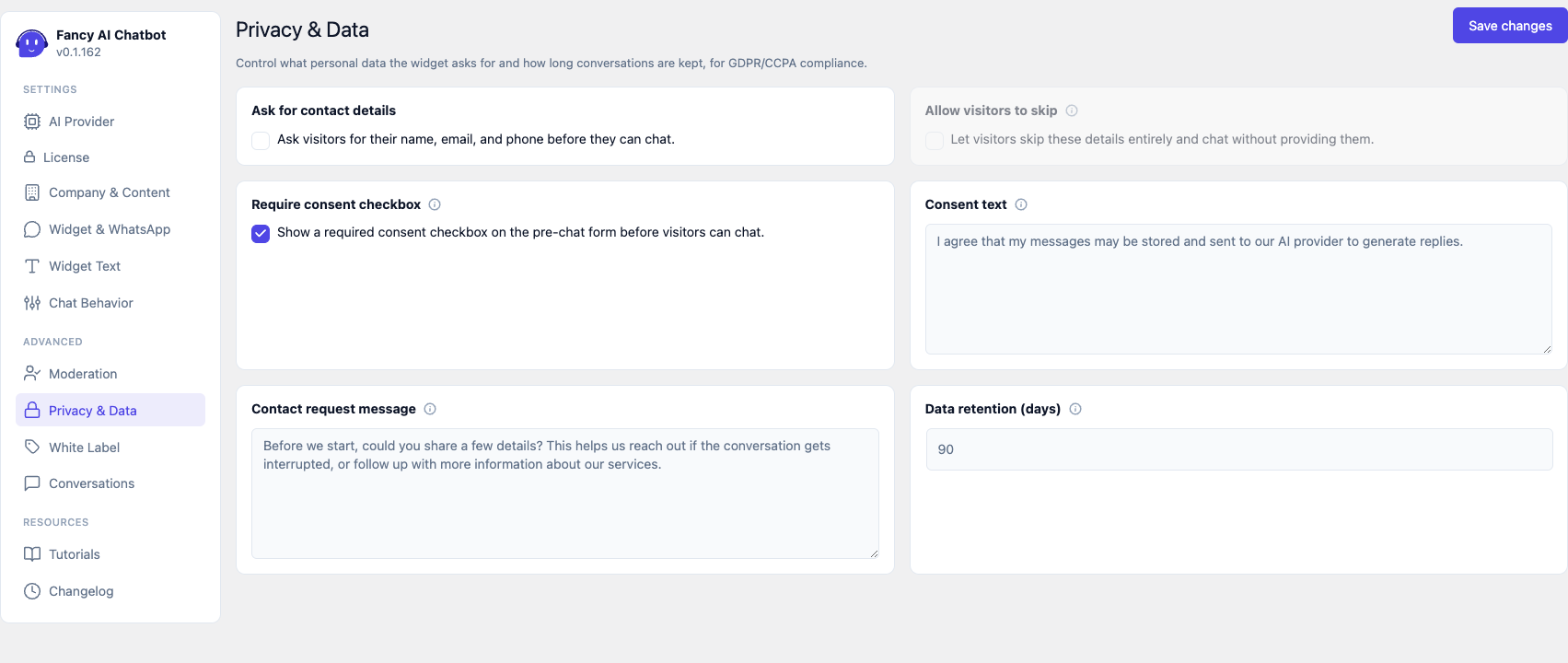
Ask for contact details
Enables a form before the chat: name, email, and phone, with an editable explanatory message (Contact request message).
Important: if this setting is off, there's no form at all — the other settings in this section have no effect.
Allow visitors to skip
With the form enabled, clicking Continue always requires all three fields filled in — there's no "partial" mode. This setting adds a separate Skip button, which bypasses the form entirely.
- Off (default): no Skip. Providing details is the only way to chat.
- On: Skip appears next to Continue. The visitor chooses between giving their full details, or none at all.
It's also validated server-side — even if someone tries to submit an incomplete form by calling the API directly, or skip it entirely, the server still requires the data unless this setting is enabled.
Require consent checkbox
Adds an explicit consent checkbox to the pre-chat form (see GDPR in depth for when it makes sense to use it). Unlike "Allow visitors to skip", it's never optional once enabled — if it's on, the visitor must check it in order to chat, no exceptions.
Because of this, turning it on dims and disables the "Allow visitors to skip" card (non-interactive) in this same admin screen: with consent mandatory, "Skip" can no longer coexist as an alternative (it would let visitors bypass consent too), so that setting stops having any effect in the meantime — it's shown dimmed instead of hidden, so its saved value stays visible.
- Consent text — text next to the checkbox. If a Privacy Policy page is configured in WordPress (Settings > Privacy), a link to it is automatically added.
- Consent is saved with an exact date and time on the conversation — it serves as proof, and appears in the CSV export (see Conversations).
Data retention (days)
Conversations inactive beyond this period are permanently deleted by a daily task. 0 = keep forever (not recommended for GDPR compliance). Defaults to 90 days, range 0–3650.
If WP-Cron is disabled or broken on the site, a notice appears on this same tab explaining that automatic cleanup isn't running.