GDPR in depth
Fancy AI Chatbot gives you the technical tools to minimize, protect, export, delete, and disclose the data the chatbot itself collects. What it doesn't do — because no software can — is decide your site's legal basis, draft your final privacy policy, or certify you as "GDPR compliant": that responsibility remains with the data controller, i.e. the site owner.
1. What this plugin does and doesn't do for you
Does:
- Provides the technical tools to minimize, protect, export, delete, and disclose the data the chatbot itself collects.
- Integrates those tools with WordPress's native mechanisms (Tools > Export/Erase Personal Data, Settings > Privacy), instead of reinventing its own interface — so the flow for a visitor's request (exercising their GDPR rights) is the same one already used by other well-integrated plugins (WooCommerce, Contact Form 7).
Doesn't do:
- Doesn't decide the site's legal basis, doesn't draft the final privacy policy, doesn't manage the whole site's cookie banner, doesn't cover data collected by other plugins/themes.
- Isn't a "certification" — no plugin can be. GDPR compliance is the responsibility of the data controller (the site owner), not the software vendor.
2. What data the chatbot touches (data map)
| Data | When is it collected? | How is it protected? |
|---|---|---|
| Conversation messages | Whenever someone chats | Stored in the plugin's own tables; automatically deleted according to the configured retention |
| Name / email / phone | Only if the pre-chat form is enabled, and only if the visitor provides them | Associated with the conversation; exportable/erasable via the native GDPR tools |
| IP address | Always (to limit abuse) | Never in plain text — stored as an irreversible SHA-256 hash together with a salt from WordPress itself |
Session cookie (fcai_session) | When the first message is sent | httpOnly, Secure if SSL is present, SameSite=Lax, lasts 30 days, single functional purpose (see section 4) |
| Explicit consent (if enabled) | When the checkbox is checked | Saved with an exact date/time on the conversation — serves as proof that it was given |
| Anthropic API key | Configured by the site owner | Encrypted at rest, never sent to the browser |
3. Legal basis: legitimate interest vs. explicit consent
- A customer-support chatbot can normally operate under legitimate interest (Art. 6.1.f GDPR) without asking for explicit consent via a checkbox — it's analogous to a contact form.
- However, since messages are sent to an external AI processor (Anthropic, outside the EU) to generate them, some agencies/lawyers prefer a more conservative basis. That's why there's an optional consent checkbox (see Privacy & Data): it lets whoever needs it switch to explicit consent (Art. 7), without forcing it on those who don't need it.
- Deciding which legal basis to use is up to the site owner/their legal counsel. Present it as an informed option, not as a universal recommendation.
4. The session cookie and why it doesn't need a cookie banner
Under the classic criteria of the former Article 29 Working Party (now the EDPB) on cookie consent exemptions, a cookie doesn't need to appear in an "accept cookies" banner if it meets these three requirements:
- Exclusively technical/functional purpose — not analytics, not
advertising, not cross-site tracking.
fcai_sessiononly serves to recognize the same visitor's conversation. - Only activated when the visitor explicitly requests the service — it's created solely when the first message is sent, never just by loading the page (same as a shopping cart's session cookie).
- Not shared with third parties — it lives entirely on the site itself.
fcai_session meets all three. This is equivalent to how
WooCommerce's or PHP's own session cookies are treated: they almost
never appear in a consent banner, they're only disclosed in the
cookie/privacy policy.
This is the most widespread general interpretation, not an absolute legal guarantee for any jurisdiction or data protection authority.
Disclosure, not consent: even though it doesn't need a banner, it must still be mentioned in the privacy policy — WordPress's suggested text (section 5.7) already includes it with its real name and duration.
5. Function by function: how each one helps you comply
5.1 Export/Erase Personal Data (native to WordPress)
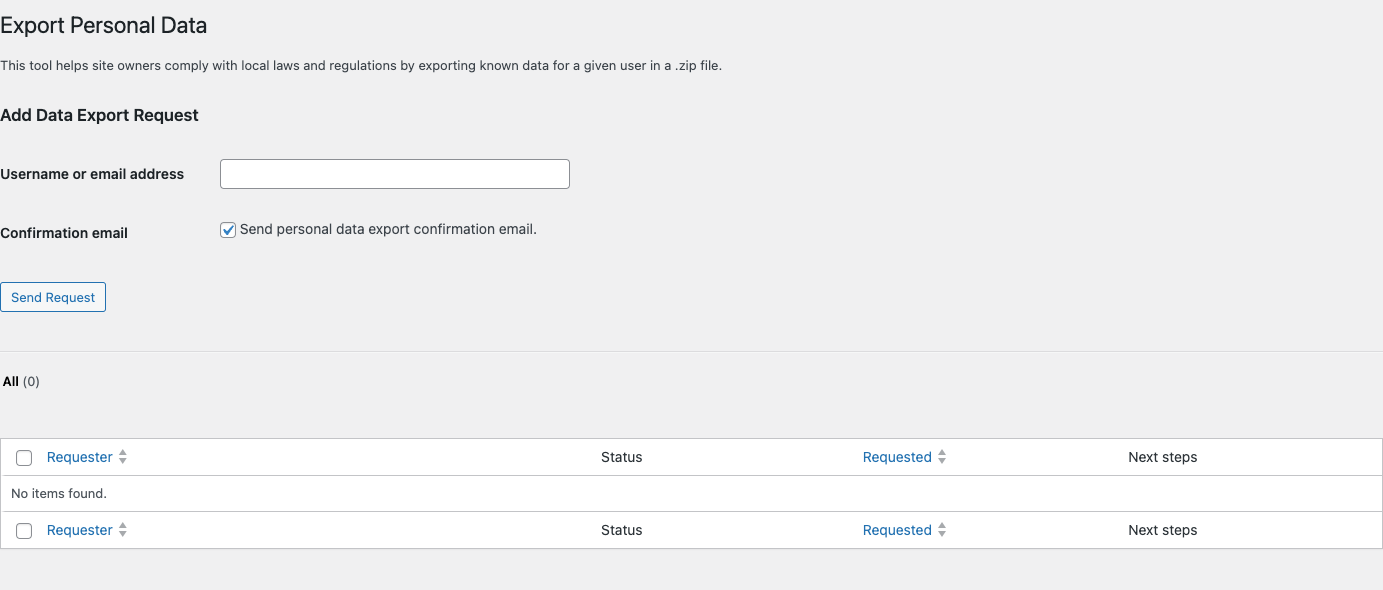
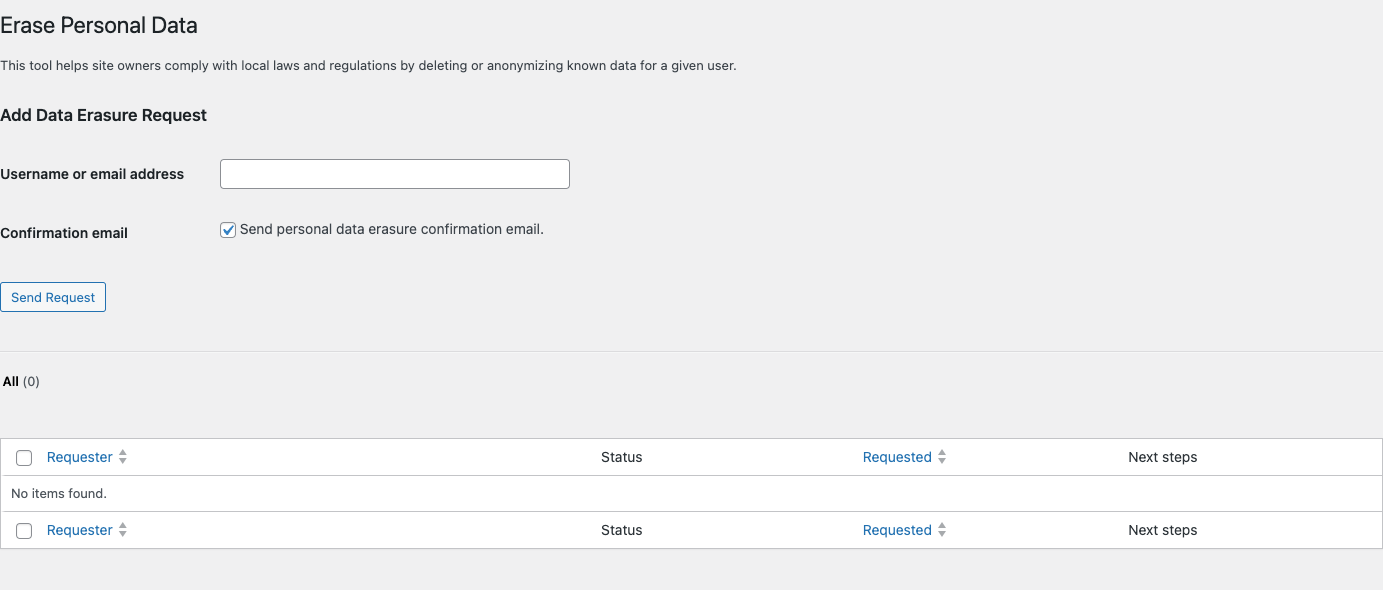
Registered with WP's two native filters
(wp_privacy_personal_data_exporters / ..._erasers), so when
someone exercises their right of access or erasure from Tools >
Export/Erase Personal Data, the chatbot responds automatically: it
looks up conversations by contact email (pre-chat form) or by linked
WordPress account (visitor logged in while chatting).
An anonymous visitor who never shared their email has no stable identifier to search by — for that case, the real protection is automatic retention (5.2), not the exporter.
5.2 Automatic retention and scheduled deletion
Daily cron that permanently deletes conversations inactive beyond the configured number of days (default 90; range 0–3650; 0 = keep forever, not recommended). Applies the data minimization principle (Art. 5.1.e GDPR — "storage limitation") without the site owner having to remember to do it by hand.
If WP-Cron is disabled on the site, the admin sees a visible notice in Privacy & Data explaining that automatic cleanup isn't running.
5.3 Conversations panel (search, filter, delete individually)
Native WordPress table (Conversations) with search by name/email/phone, filter by status, and per-row actions: unblock or delete individually a conversation — more precise than the "unblock all" button.
5.4 CSV export of contacts
One click from the admin exports every contact captured by the pre-chat form (name, email, phone, consent date if applicable, date). Useful for the site owner to audit what data they hold.
5.5 API key encrypted at rest
The Anthropic key is encrypted before being saved to the database and never sent to the browser — it isn't a visitor's personal data, but it is a sensitive secret whose leak would compromise the customer's account.
5.6 Anonymous sessions and IP as a hash only
No WordPress account is required to chat. The IP is used only to limit abuse (rate limiting) and is stored as a salted SHA-256 hash — never in a form reversible back to the original IP. An example of "privacy by design" (Art. 25 GDPR): the minimum data necessary, in the least identifiable form possible.
5.7 Suggested text for the Privacy Policy

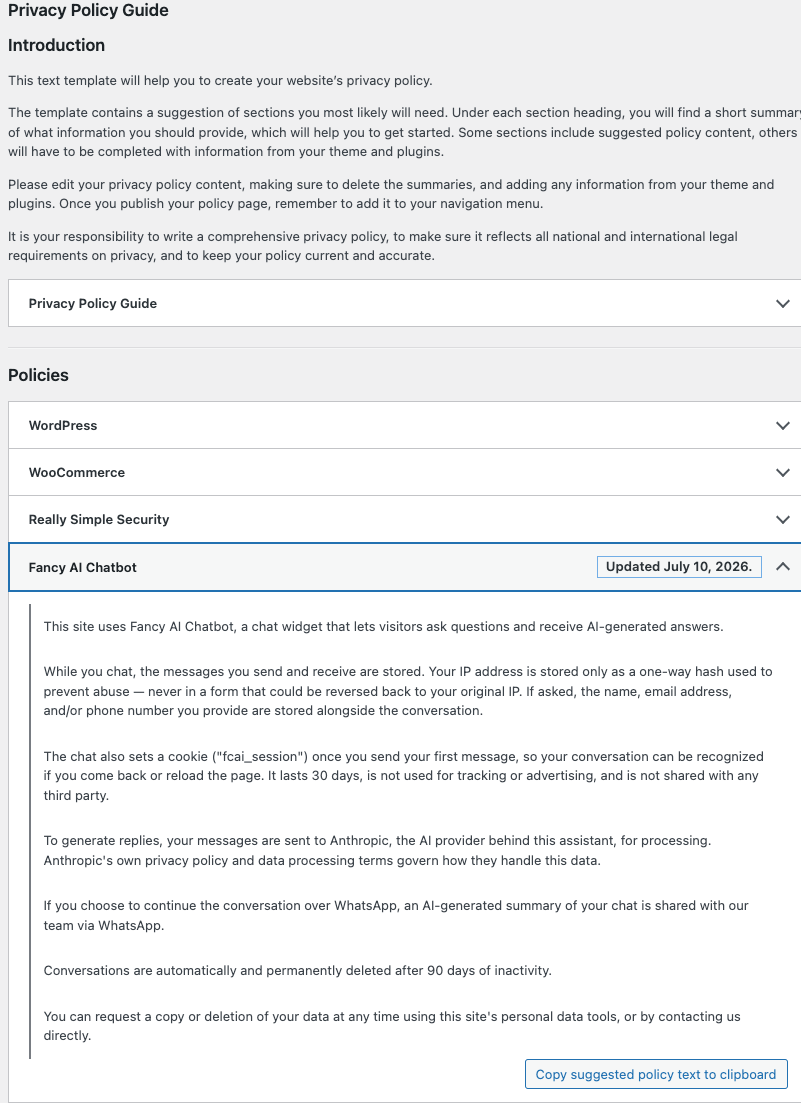
Uses the same native mechanism as WooCommerce/Akismet
(wp_add_privacy_policy_content()): it appears in Settings > Privacy >
Policy Guide, ready to copy. It's generated dynamically from the
site's actual configuration (is the pre-chat form enabled? is a
WhatsApp number configured? how many days of retention?), so it never
goes stale when the owner changes those settings. It explicitly
mentions the session cookie and that messages are sent to Anthropic.
WordPress never publishes this text on its own — the site owner must copy it to their actual Privacy Policy page.
5.8 Explicit consent checkbox (optional)
See section 3. Once enabled, it's mandatory (there's no "optional once enabled" mode). Saved with an exact date on the conversation as proof. Includes an automatic link to the WordPress Privacy Policy page if one is configured.
5.9 Clean uninstall
When the plugin is deleted (not just deactivated), its tables and options are removed — no orphaned data is left in the customer's database.
6. Third parties that process data
- Anthropic (AI provider): receives the content of messages to generate replies. This is an international data transfer (a U.S. company) — normally covered contractually by the Standard Contractual Clauses (SCCs) Anthropic already offers in its own terms, but the site owner must mention this fact in their policy (the suggested text in section 5.7 already does).
- WhatsApp (if configured): tapping the handoff button shares an
AI-generated summary of the conversation through a
wa.melink — the visitor starts that conversation voluntarily.
7. Frequently asked questions
- Does this plugin make me GDPR compliant automatically? No — no software does. It gives you the technical tools; the legal responsibility for your site remains yours.
- Do I need a cookie banner for this chatbot? For the chat's own session cookie, usually not (see section 4). If you use other analytics/advertising tools on your site, those may require one — independently of this plugin.
- Can I use the chatbot without asking for the consent checkbox? Yes, it's optional. Many sites operate under legitimate interest without it (see section 3).
- What happens if a visitor asks for their data to be deleted? If they shared their email, use WordPress's Tools > Erase Personal Data — the chatbot responds automatically. If they never shared an identifier, there's no way to locate their specific conversation; automatic retention will delete it eventually regardless.
- Do messages leave my server? Yes, they're sent to Anthropic to generate the reply — that's inherent to how an AI chatbot with an external provider works.
8. Launch checklist
- Configure the retention days according to your internal policy.
- Copy the suggested text (Settings > Privacy > Policy Guide) to your actual Privacy Policy page.
- Decide whether to enable the explicit consent checkbox (consult your legal counsel if unsure).
- If you use a cookie-management plugin, add
fcai_sessionmanually to its list (it isn't auto-detected). - Periodically check the Conversations panel if you receive deletion requests outside WordPress's automatic flow.